
Habr Sources List
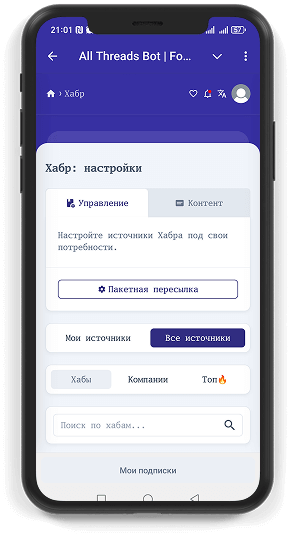
On the main Habr settings page you will find a convenient list of all available sources:
- All sources—a complete list of hubs and company blogs you can subscribe to;
- My sources—your personal subscriptions.
Source Tabs
Sources are conveniently grouped by tabs:
- Hubs—thematic sections of Habr (e.g., Artificial Intelligence);
- Companies—corporate blogs (e.g., Yandex);
- Top—the most popular materials for various periods.
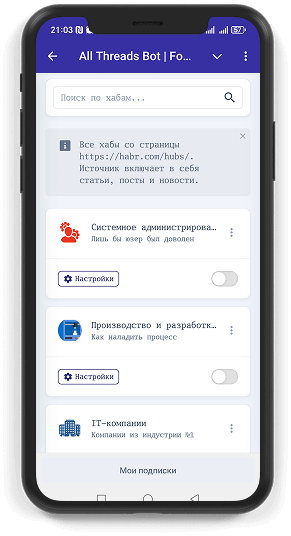
Hubs
Select the hub you are interested in to receive fresh articles on the desired topic.
Company Blogs
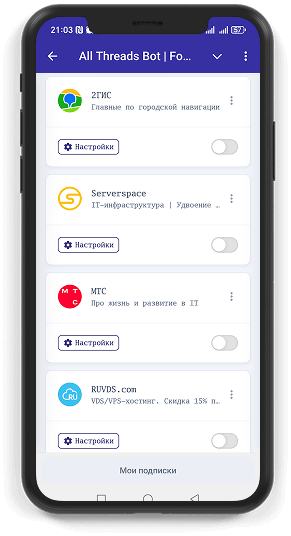
Subscribe to blogs of leading IT companies and get their publications first.
Top
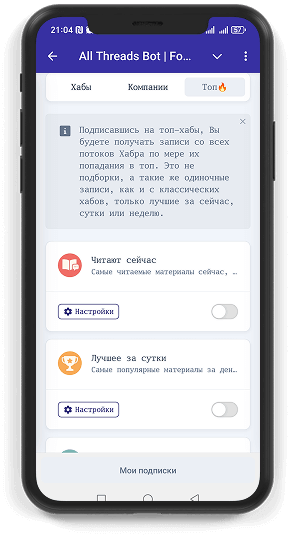
This tab contains the most popular materials:
- Trending now—the most discussed articles in real time;
- Best for the day—top publications for the last 24 hours;
- Best for the week—the best articles for the week.
INFO
The "Top" section is designed for quick access to the most popular materials, but is not a separate batch forwarding.
Source Card: Quick Management
Each source is represented by a mini-card displaying:
- Avatar and source name;
- Short description;
- Button to go to individual settings;
- Subscription toggle—quickly subscribe or unsubscribe from the source.
Manage your subscriptions and settings right from the list—everything at your fingertips!